HAPPYPILLAR NATIVE iOS APP
Note: Happypillar has since been acquired by and rebranded as Manatee.
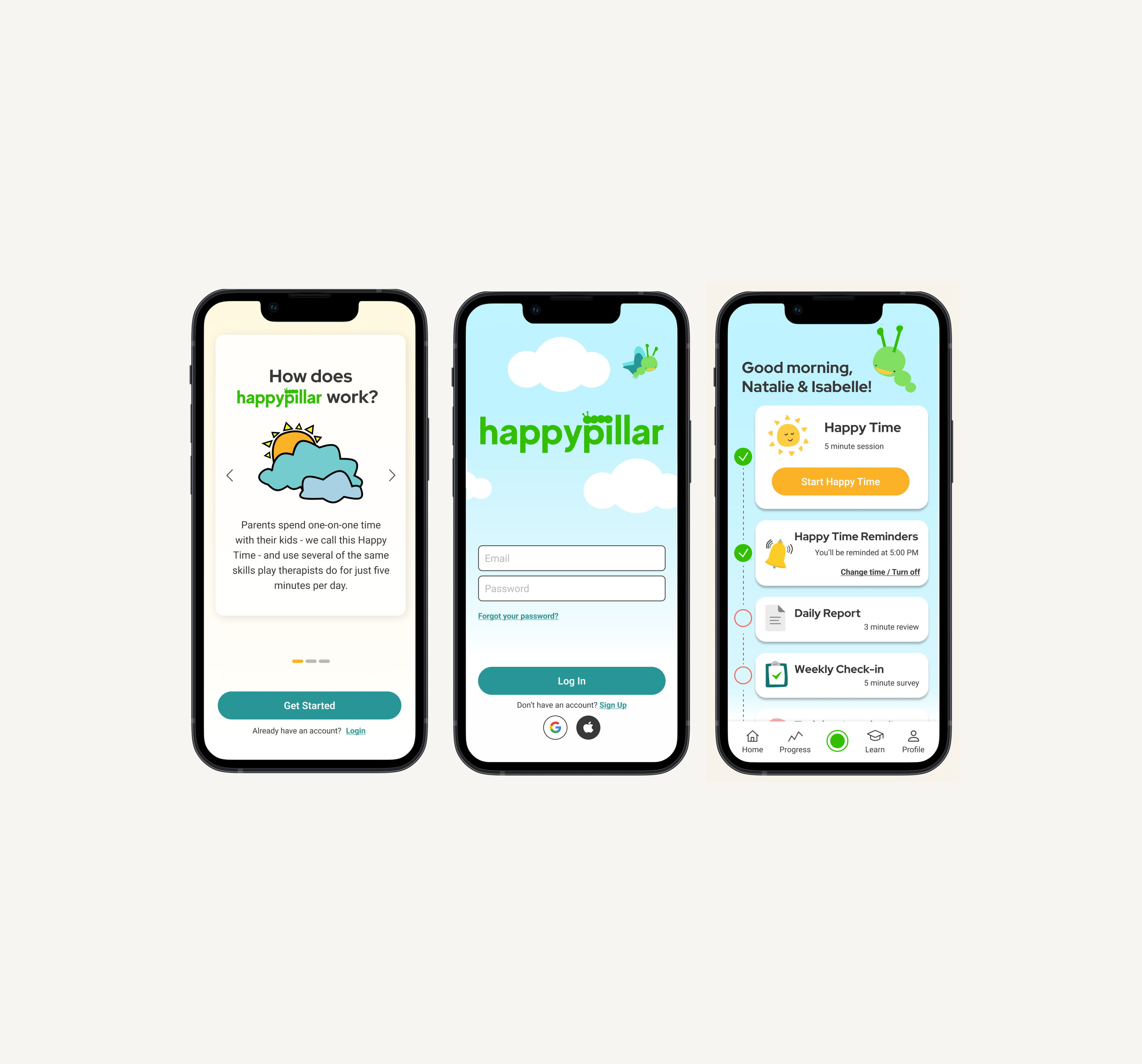
End-to-end product design for the release of Happypillar's mobile application — an AI-powered platform helping parents build stronger relationships with their children through evidence-based therapy techniques.
ABOUT HAPPYPILLAR
Practical, evidence-based therapy skills for caregivers
Happypillar provides caregivers with evidence-based therapy skills to strengthen their relationships with children through 5-minute "Happy Time" sessions. The app uses machine learning to listen to and analyze sessions, providing personalized feedback to improve caregiver technique. These skills are proven to decrease tantrum frequency, increase child self-esteem, improve social and sharing skills, and reduce caregiver stress.
THE BRIEF
Moving from Beta to General Availability
After two rounds of beta testing, Happypillar had gathered enough data and feedback to move forward with the design and build of the general availability version of their application. As the design lead, I cross-collaborated with stakeholders and the engineering lead to define short- and long-term product goals to inform the roadmap for the MVP.
To move from beta to GA, we needed to focus on three things: an informative onboarding experience, a straightforward recording page, and the ability for users to view short- and long-term data and growth within the app.
BETA FEEDBACK
Four areas of opportunity surfaced from beta testers
To begin strategizing, we revisited research conducted and gathered for beta and combined that with feedback gathered directly from beta testers. Upon reviewing the feedback, we discovered four areas of opportunity:
- Onboarding Flow:
- Users wanted a clearer picture of how many steps were involved in the onboarding process. They also wanted to be informed of the research and data backing Happypillar's technology before signing up.
- Survey Design & Flow:
- The design of the Likert scale survey was difficult to read given the amount of information on one page. The colors did not meet accessibility standards.
- Recording Page:
- Users felt there were unnecessary buttons and worried about pausing or stopping their session and losing data.
- Video Content & Accessibility:
- Users wanted to see progress bars within videos and have access to captions and alternative ways of consuming the information shared in the videos.
PROBLEM STATEMENT
Beta users lacked confidence and clarity at critical moments
The beta experience left users uncertain during onboarding, anxious during recording sessions, and without a meaningful view of their progress over time. To move to GA, Happypillar needed a seamless, end-to-end experience that built trust from first open to long-term engagement.
PRODUCT ROADMAP
MoSCoW prioritization to define the MVP
After reviewing beta feedback and discussing scope with the stakeholders, I created a MoSCoW chart that helped inform the creation of a product roadmap. I used Notion to create the roadmap and a system to request copy and video needs from the stakeholders. This roadmap ensured the project stayed on track and that all tasks were assigned, resulting in the MVP's timely delivery.
Must:
- Onboarding: Welcome Video, Fitness Questions, Subscription/Free Trial, Child Intro, Happy Time Intro
- Training: Intro to Happy Time Video, How to Do's & Don'ts, Gamified/Interactive Skills Lessons
- Ability to set reminders
- Happy Time Feedback Report
- Progress tracking
- Interactive Home Screen with to-do section
Should:
- Notifications: skill/training sessions, weekly survey
- NICE Skills Sheet available on recording page
- Streak Tracking
- Data visualization: intersection of HT Feedback Reports & Weekly Behavioral Check-Ins
Won't (for MVP):
- Multiple Users
- Accessibility for multiple languages
- Ability to add notes to the Happy Time recording
USER JOURNEY MAPPING
Mapping out the user journey with cross-functional input
Through collaboration with stakeholders, the therapist-in-residence, and the engineer, we built out user flows that led to the full design of the app map. We broke the user journeys into smaller sections to ensure we captured all information and flows necessary for the MVP. By breaking the full journey into smaller flows, we were able to eventually create the app map, showcasing the entire experience within the app.
View App Map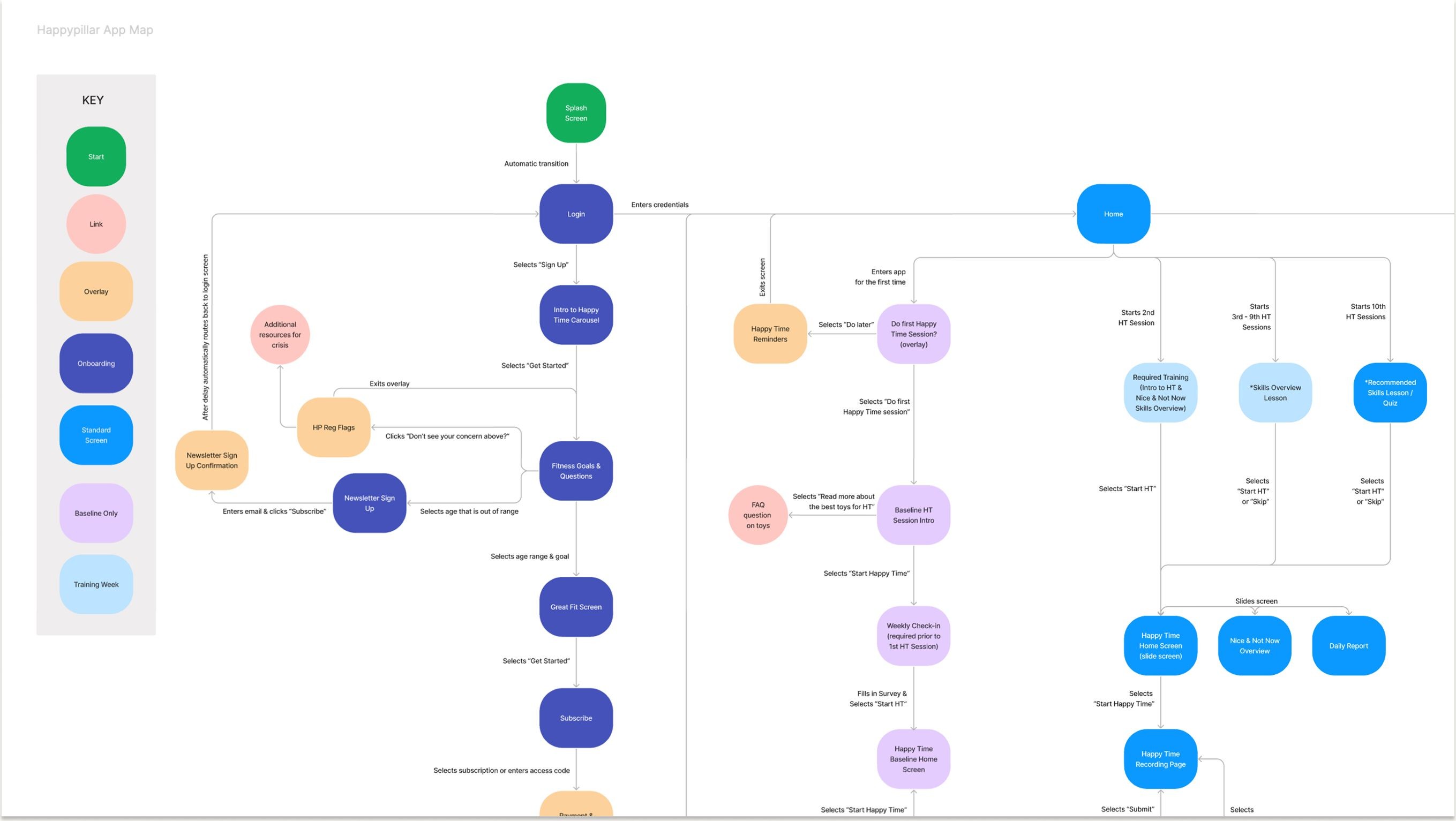
WIREFRAMING
Bringing the user journey to life
After planning out the user flows and app map, we moved into wireframing. Since we had wireframes from the beta design, we were able to elevate and update those as well as design new screens needed for the MVP.
ONBOARDING THE USER
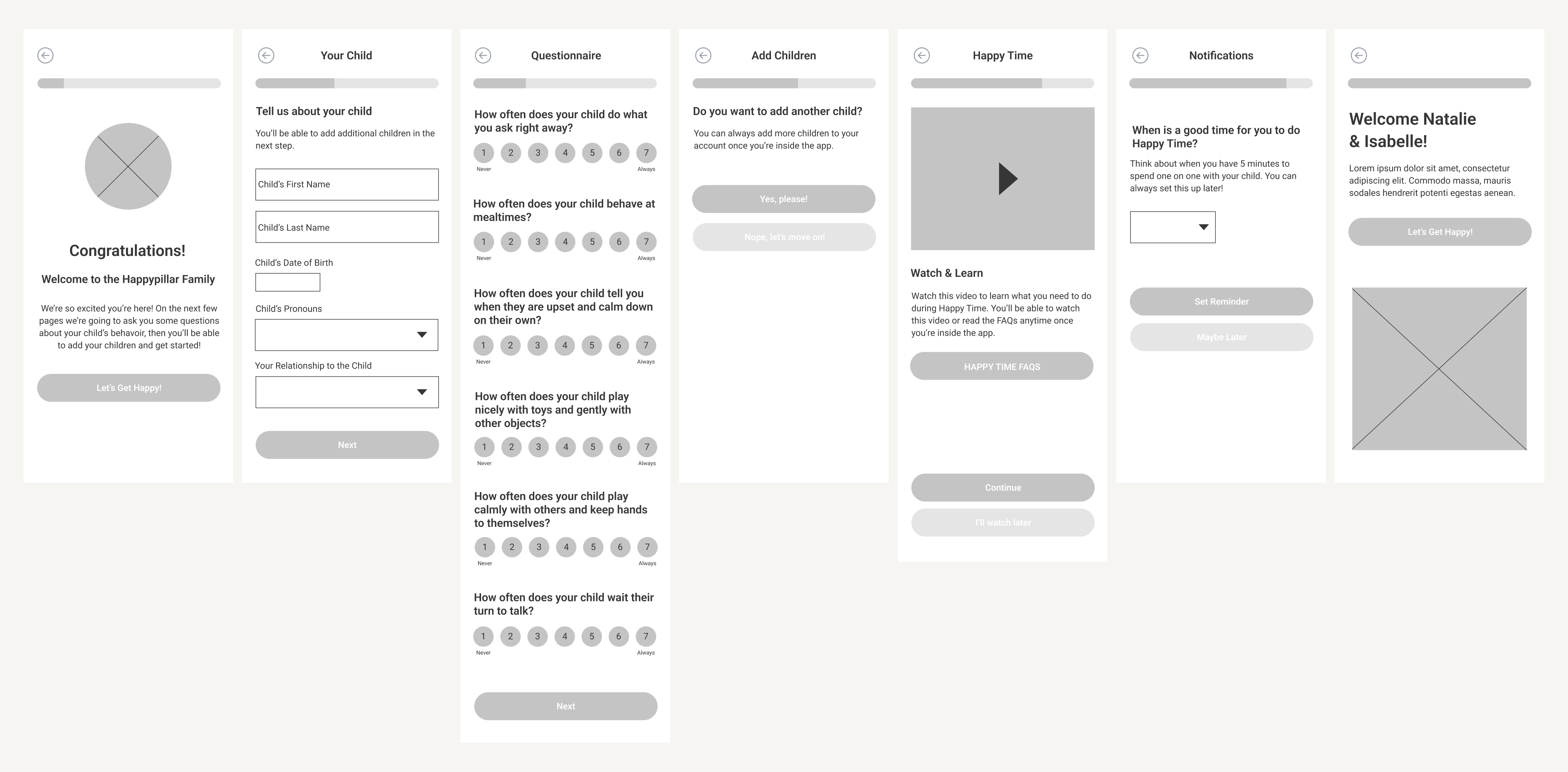
Building trust through a therapist-informed onboarding flow
We worked with Happypillar's therapist-in-residence to create an onboarding experience that mimicked the in-person process — establishing trust and gathering the appropriate information to ensure the best possible experience for the user and their child/children while using Happypillar.
WELCOME HOME
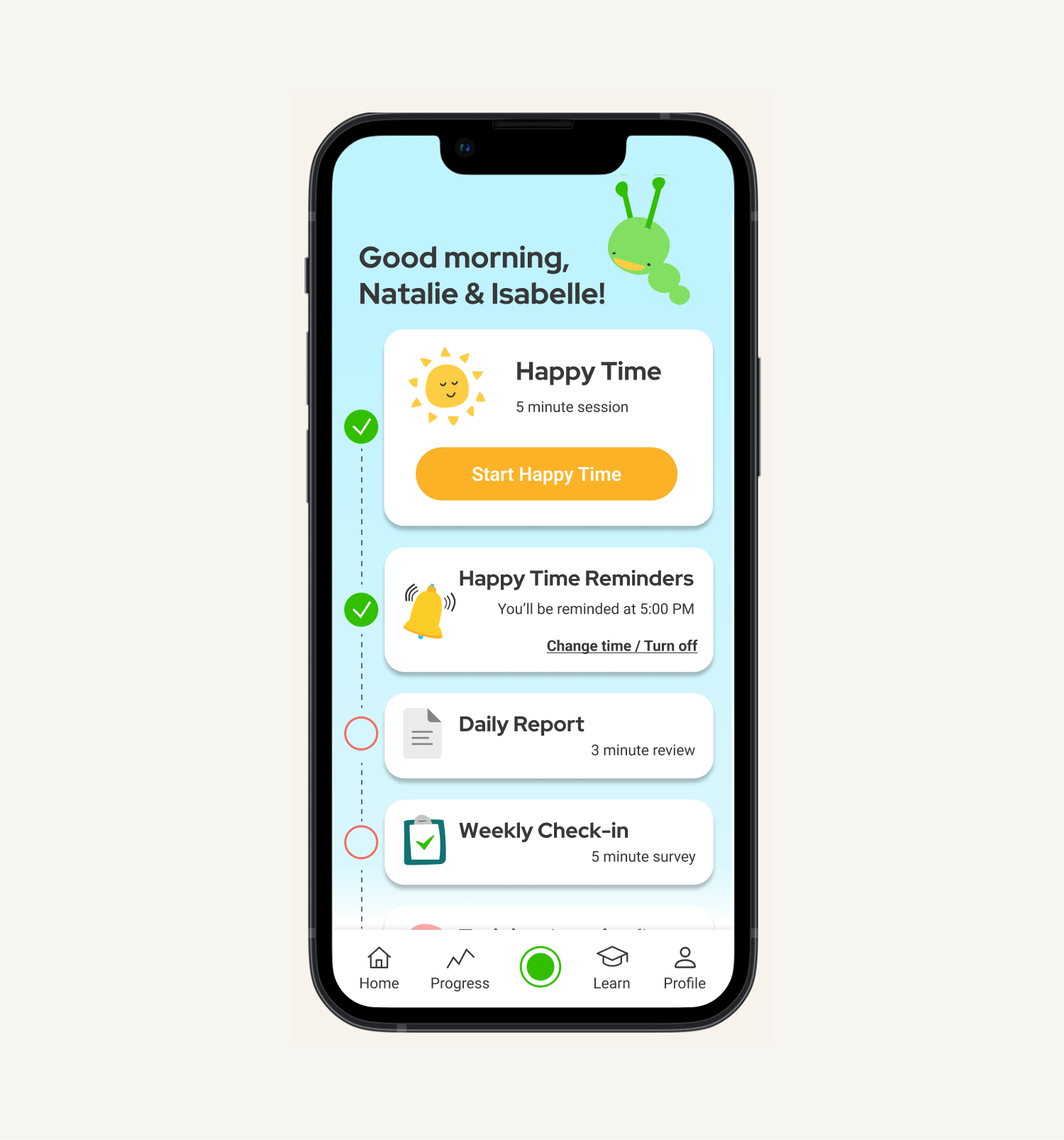
A task tracker that motivates consistent engagement
We designed the Happypillar home screen to feel inviting and informative. We created a task tracker so users could easily see what they need to do each time they log in. By creating a checkbox toggle bar, we motivated users to complete their Happy Time sessions and continue learning new skills to improve their relationships and make progress with their child/children.
RECORDING A SESSION
The core feature — designed for simplicity and confidence
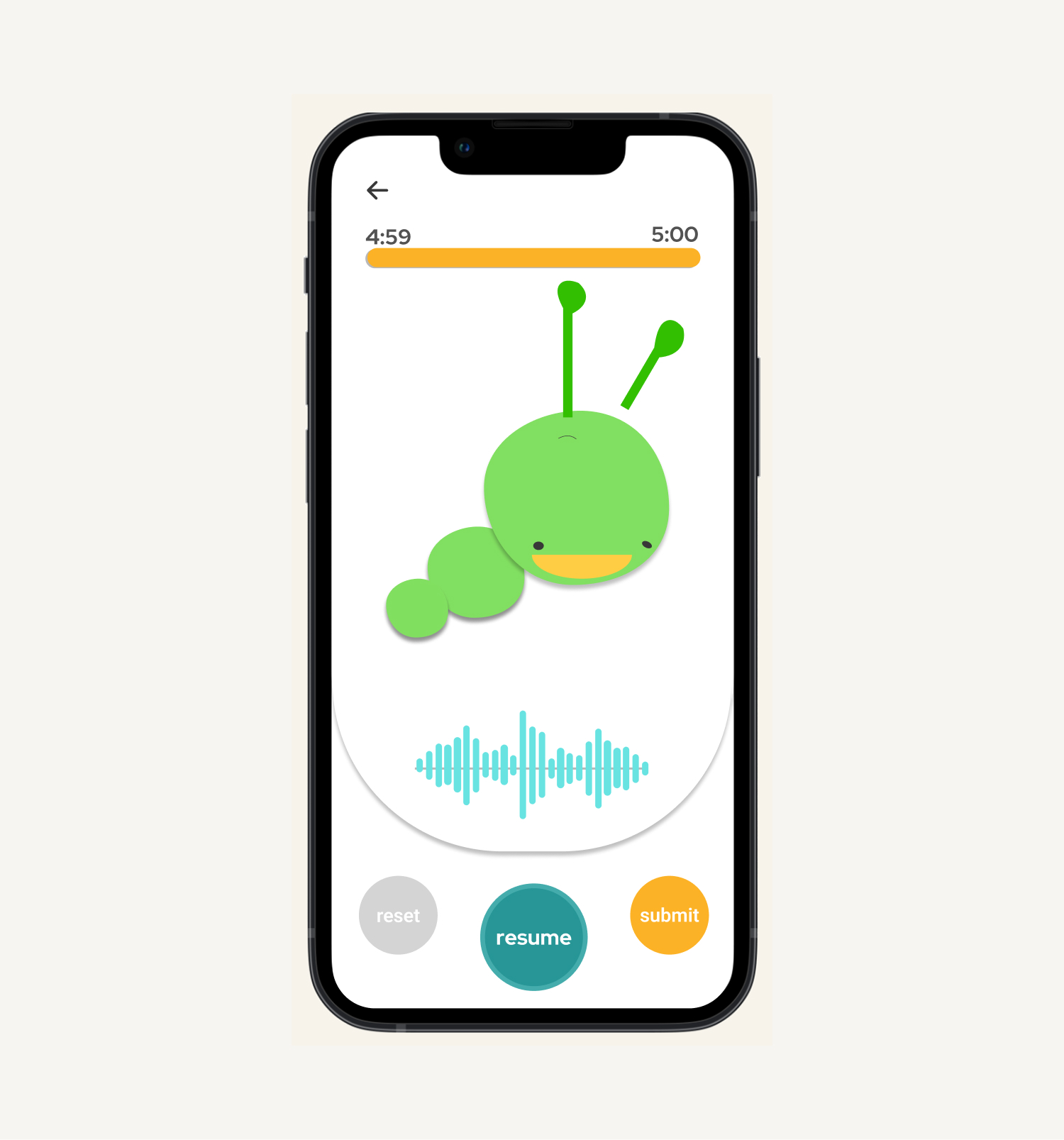
Recording a Happy Time session is the main feature within the Happypillar app, so we prioritized it for two rounds of usability testing. By conducting a heuristic evaluation, we ensured our design used familiar words and buttons. To achieve a minimal, straightforward design, we removed unnecessary information and kept vital elements like sound haptics, a progress bar, and minimal button design.
TRACKING PROGRESS
Data visualization to show the impact of consistent app usage
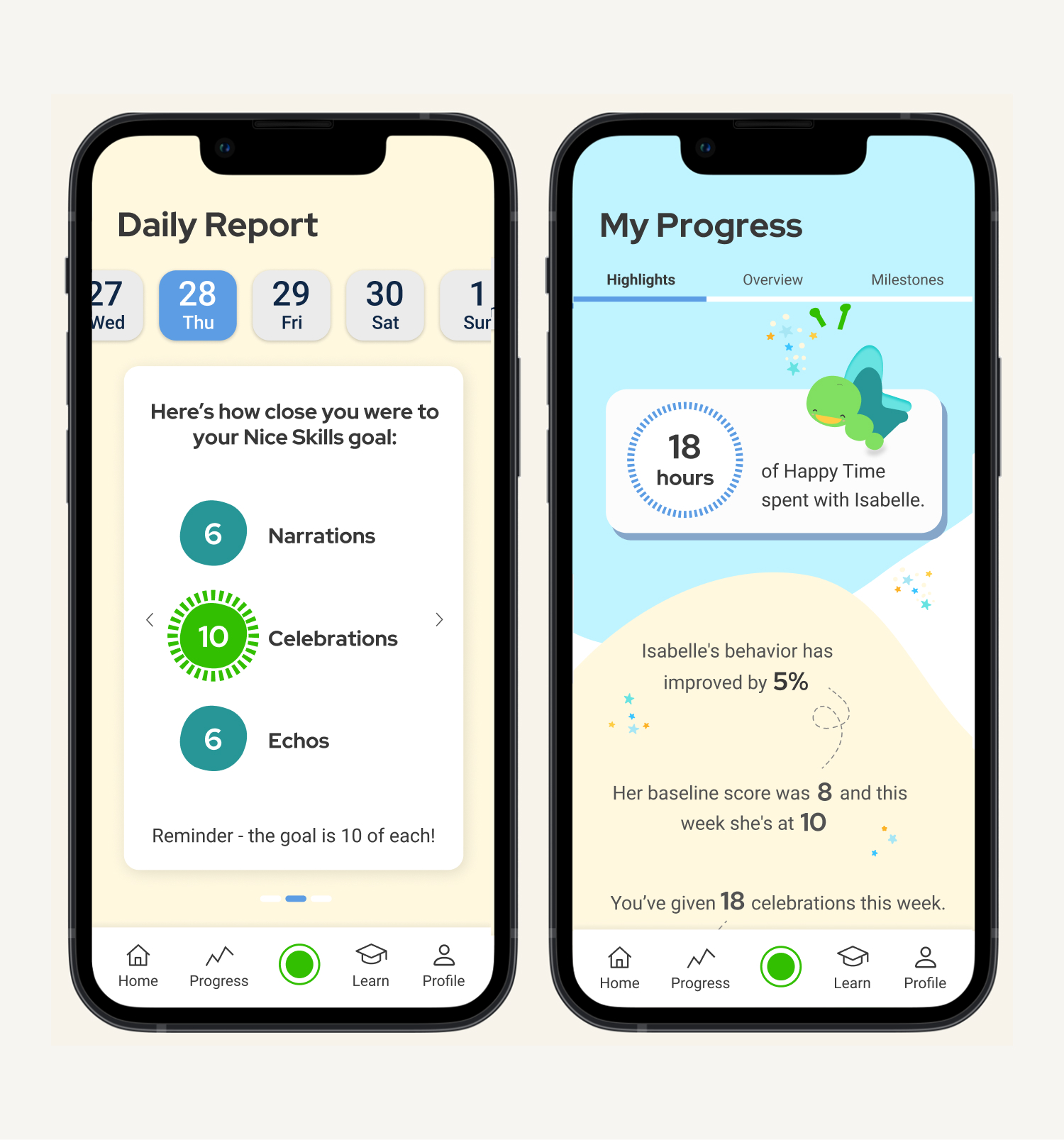
We worked closely with the stakeholders and therapist-in-residence to create data visualizations that display the relationship between consistent app usage and behavioral improvement. By using tab navigation, we were able to share in-depth information without overwhelming the user.
Outside of the Happy Time Report, users can view highlights from their time using Happypillar and review longer-term progress and milestones.
LEARN | SKILLS & QUIZZES
Empowering caregivers to go deeper between sessions
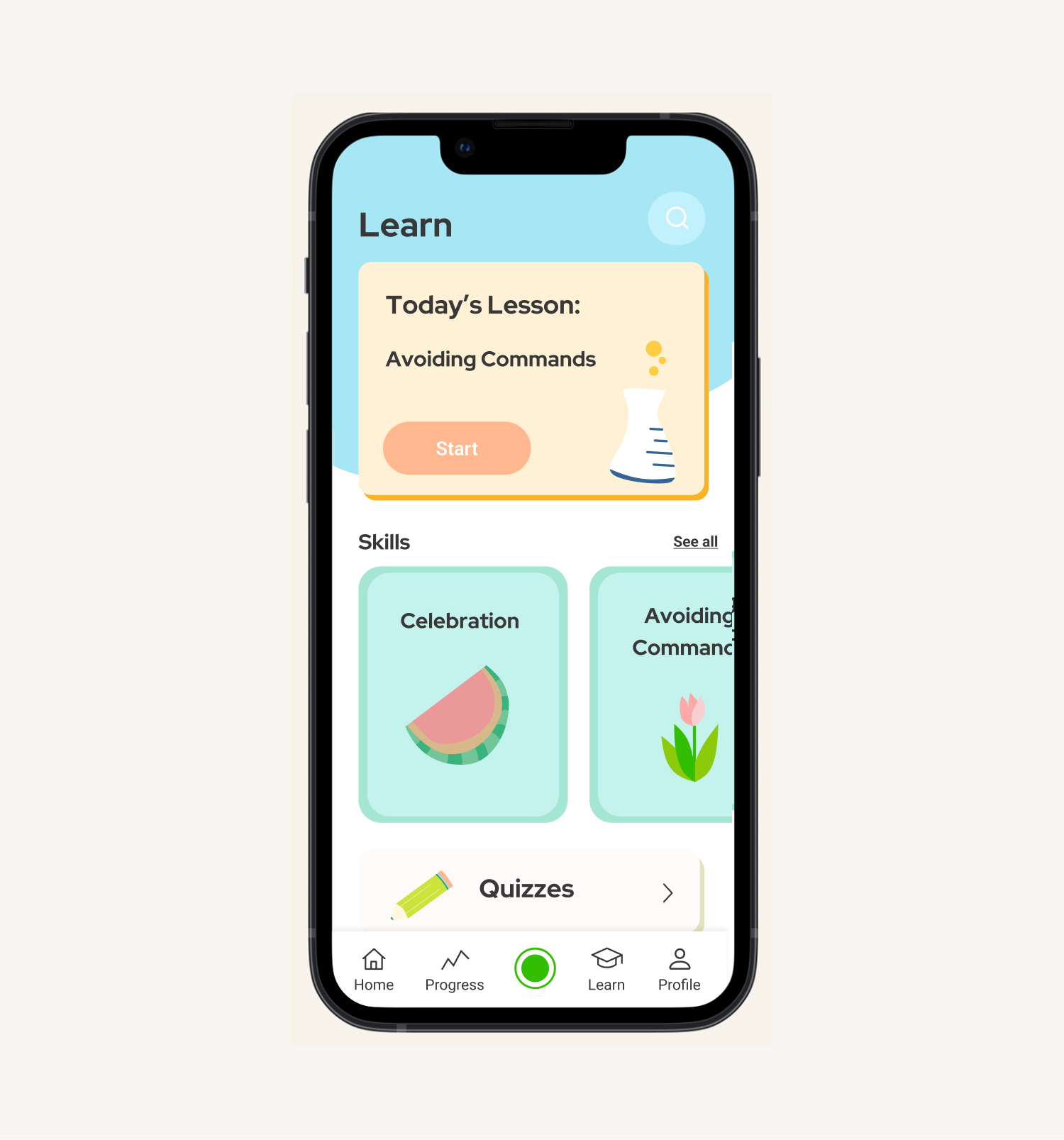
Within the app, users have the opportunity to learn more about the skills they use during Happy Time sessions. We created a Learn landing page to house all the different skill categories as well as a variety of templates for different quiz options. Users can complete a daily lesson that includes an overview of the skill along with a quiz. Specific topics are recommended based on their Happy Time feedback reports to help them further develop lacking skills.
In addition to the core screens, we designed a variety of additional screens necessary for the MVP, including Account Settings, Child Profiles, FAQs & About, Reminders, and the ability to share Happypillar with friends.
USABILITY TESTING
Two rounds of testing on the recording experience
The recording page was prioritized for two rounds of usability testing given it is the core feature of the app. Testing validated the minimal, straightforward design direction — removing unnecessary buttons and keeping only vital elements such as sound haptics, the progress bar, and minimal button design addressed the key concern from beta testers about accidentally stopping a session and losing data.
A heuristic evaluation was also conducted to ensure the design used words and buttons familiar to the user, reinforcing confidence throughout the session flow.
“Routines with my child need to be consistent in order to implement them long-term.”
-ANNIE, MOM WHO PARTICIPATED IN BETA TESTING
DESIGN SYSTEM & INTERACTIVE PROTOTYPE
A scalable design system built for the GA release
Alongside the full screen designs, we built out a complete design system in Figma covering typography, color, iconography, navigation patterns, and component states. This system served as the foundation for the interactive prototype and ensured consistency across all screens delivered to engineering.
Deliverables produced:
- Complete Figma component library
- Annotated interaction behaviors
- Interactive prototype
- Full wireframe documentation for engineering handoff
BUSINESS IMPACT
Happypillar acquired by and rebranded as Manatee — October 2025
The release of the Happypillar app directly contributed to the company achieving its mission of scalable, accessible mental health care for families.
In October 2025, Manatee — the leading virtual mental health platform for the entire family — announced its acquisition of Happypillar, combining Manatee's family-first clinical platform with Happypillar's AI-supported parent-child therapy coaching technology. Happypillar has since been rebranded as Manatee.
Manatee partners with major health plans and health systems nationwide, giving more than 20 million families in the U.S. access to care. The acquisition positioned Happypillar's technology to reach families at a scale that would not have been possible independently.
“Expanding access means meeting families where they are — sometimes that's in a session with a therapist, and sometimes it's through daily moments at home.”
-DAMAYANTI DIPAYANA, CEO OF MANATEE